
Welcome to the Game Panel Password guide! Here you will find a step-by-step guide on how to change your game panel password for your server. This password is used to log into your game panel and may also be required for tools like WinSCP/SFTP when launching an SFTP connection from the panel. Changing your password regularly is a simple way to keep your server secure.
Note: This changes the password for your game service / game panel - it does not change your main billing/client area login password.
Step 1: Go to My Products & Services
First, log in to the Connect Hosting client area and go to your services list here: https://billing.connecthosting.net/clientarea.php?action=services
On this page, find the server you want to update and make sure it shows as Active.
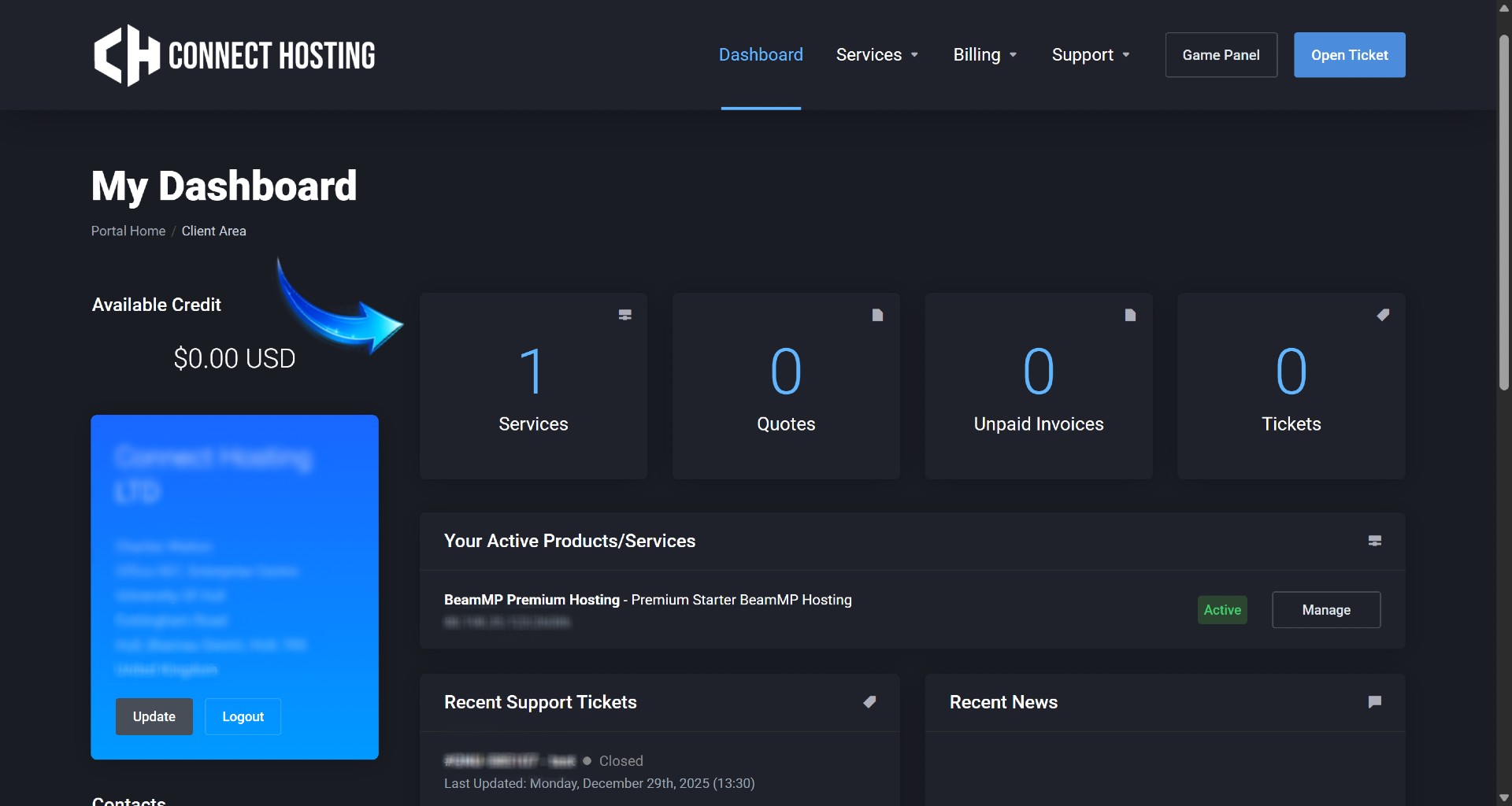
Step 2: Click your Active Game Service
Click the name of your active game service to open the Product Details page.
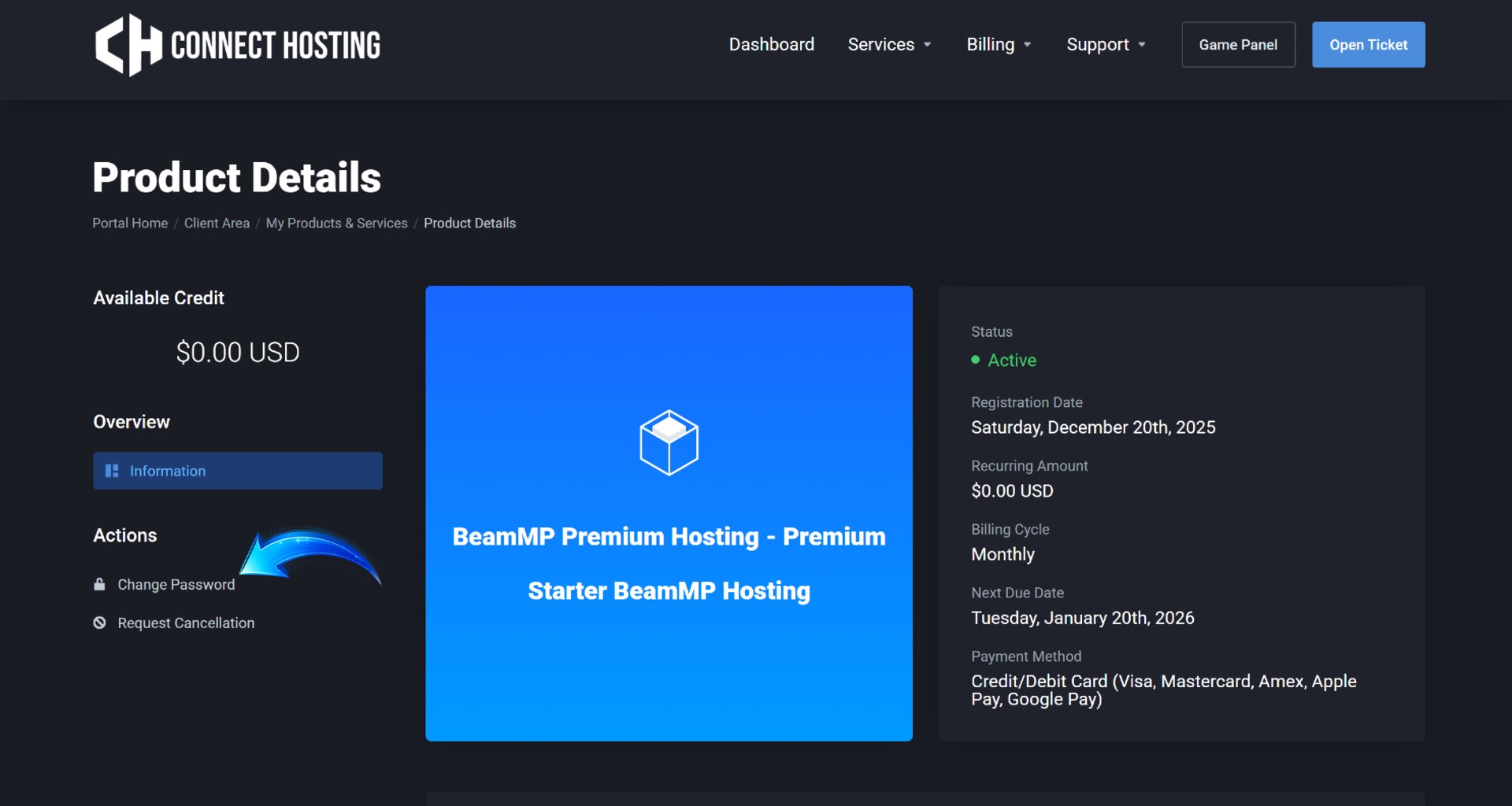
You will be taken to a page similar to:

Step 3: Open the Change Password tab
On the left-hand side under Actions, click Change Password.
This will open the password change form for your game service.
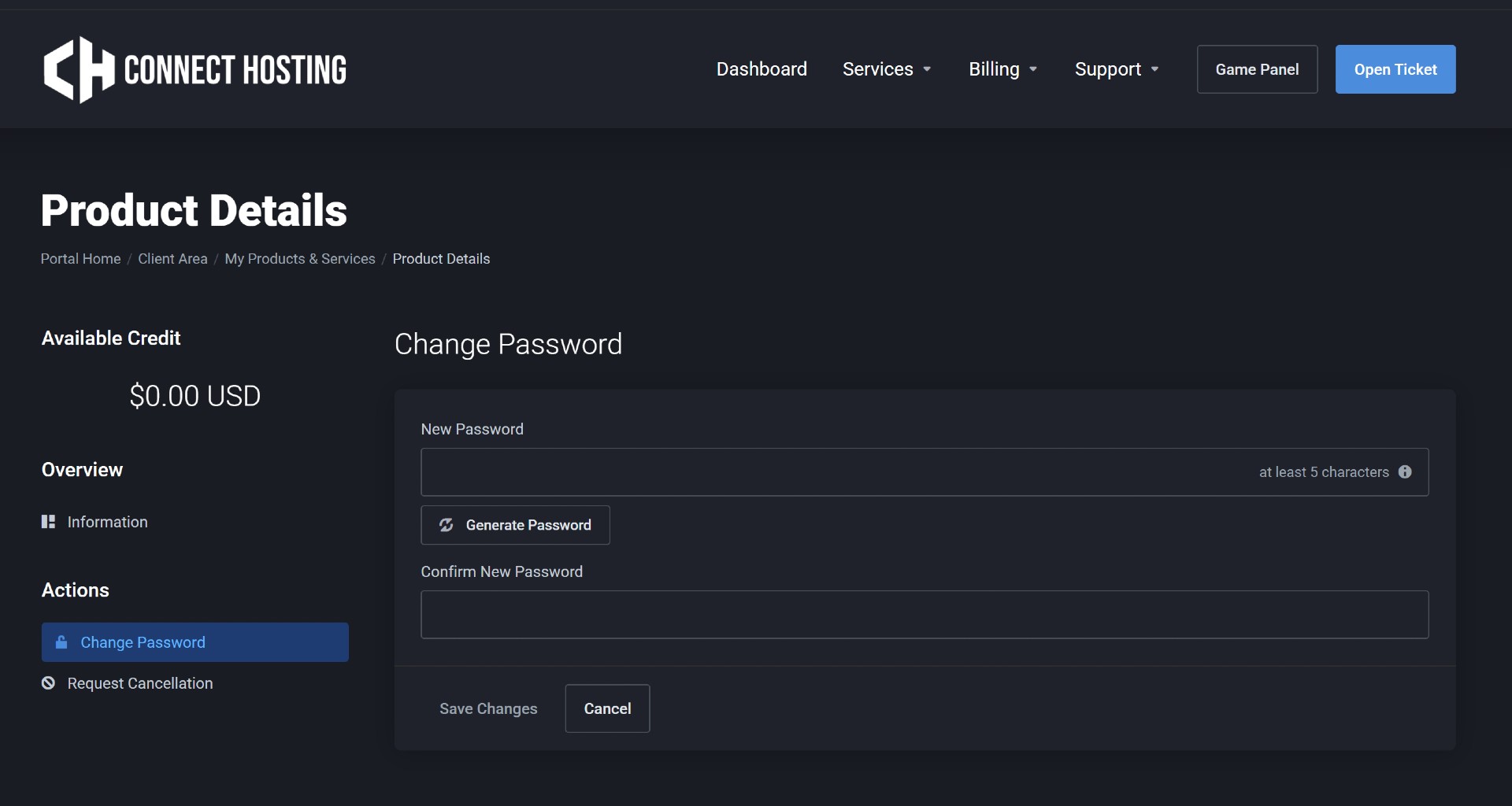
Step 4: Set your new Game Panel Password
Enter your new password in the New Password field, then re-enter it in Confirm New Password.
You can also click Generate Password to create a strong password automatically.
When ready, click Save Changes.
Step 5: Test Login (Recommended)
After saving, click the Game Panel button at the top of the client area to confirm your new password works.
If you use WinSCP/SFTP, update any saved passwords to avoid failed logins.
Troubleshooting
I forgot my password / it won’t work
Try setting it again using the steps above. If you no longer have access to your client area, open a support ticket and we can help.
WinSCP/SFTP stopped working after changing password
Update the saved password in WinSCP and try again. If you launch SFTP from the panel, you will need to enter your new password.
Need help? Open a ticket here: https://billing.connecthosting.net/submitticket.php